Arduino Nano 33 BLE Sense: Your All-in-One IoT and AI Development Board
The Arduino Nano 33 BLE Sense packs a powerful Arm Cortex-M4 microcontroller, Bluetooth Low Energy, and an impressive suite of sensors into a tiny form factor.
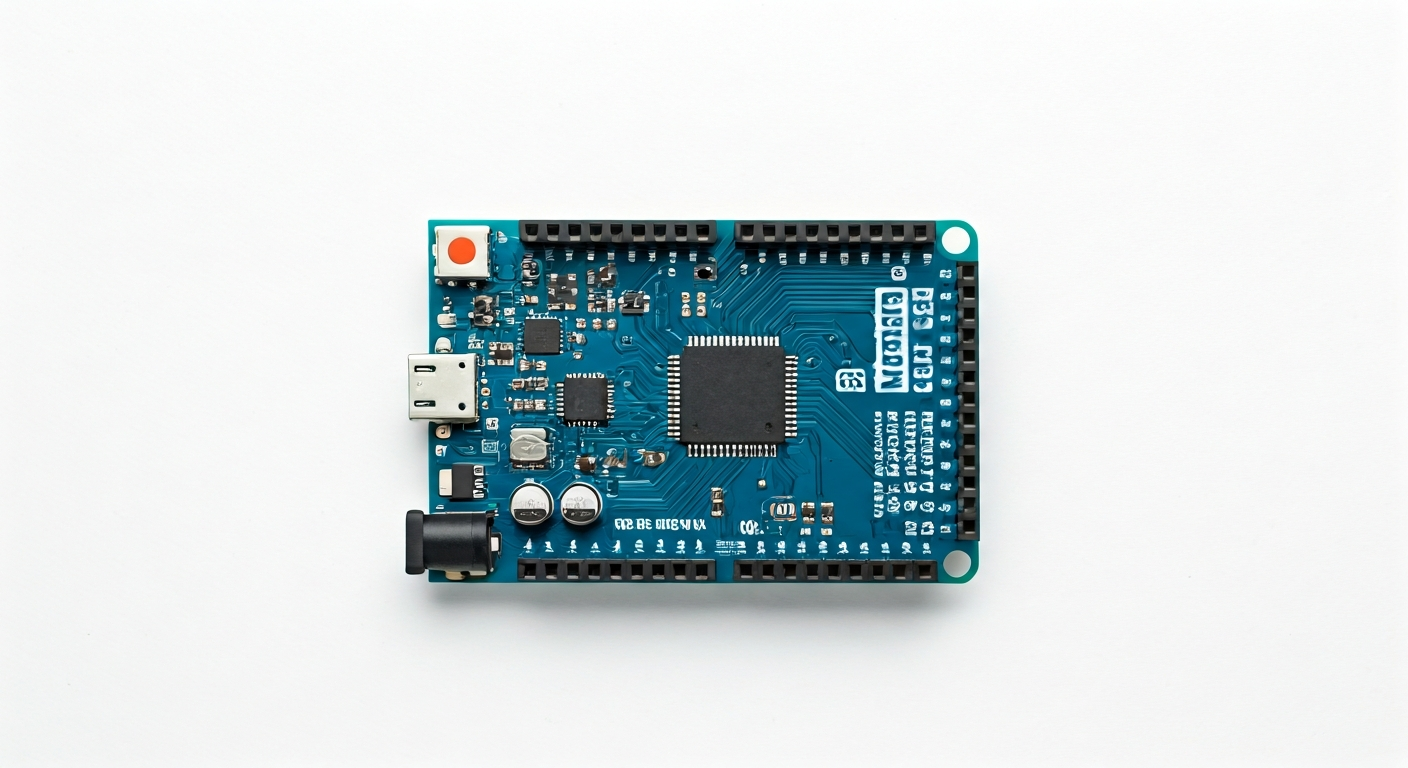
The Arduino Nano 33 BLE Sense is a compact yet powerful development board designed for a wide range of embedded applications, particularly those involving machine learning on the edge and wireless connectivity. It builds upon the popular Nano form factor, offering greater processing power and a rich set of onboard sensors, making it an excellent choice for makers, students, and embedded engineers looking to prototype sophisticated projects without extensive external hardware.
At its core is the nRF52840 System-on-Chip (SoC) from Nordic Semiconductor. This 32-bit Arm Cortex-M4F processor runs at 64 MHz, providing ample computational resources for complex tasks. The SoC also integrates a radio that supports Bluetooth 5 (BLE) and other protocols like Thread and Zigbee, enabling robust wireless communication. This combination of processing power and wireless capability makes the Nano 33 BLE Sense ideal for IoT devices, wearable technology, and smart home applications.
Released around 2019, the Nano 33 BLE Sense represents a significant step up from previous Nano boards, which typically used simpler AVR microcontrollers. It bridges the gap between entry-level Arduino boards and more advanced platforms like the ESP32, offering a balance of ease of use, powerful hardware, and integrated sensors. Its inclusion of an Inertial Measurement Unit (IMU), environmental sensors, and a microphone opens up possibilities for gesture recognition, environmental monitoring, and voice command interfaces, pushing the boundaries of what can be achieved with a small, low-power board.
This board is particularly well-suited for projects that require on-device intelligence, such as keyword spotting, gesture detection, or basic activity recognition, thanks to its powerful processor and integrated sensors. The built-in Bluetooth Low Energy is perfect for connecting to smartphones, other BLE devices, or creating low-power sensor networks. Its small size and low power consumption also make it suitable for battery-powered applications and wearable projects.
Watch
Related video, embedded from YouTube.
Specifications
| Microcontroller / SoC | Nordic Semiconductor nRF52840 |
| Architecture | 32-bit Arm Cortex-M4F |
| Clock speed | 64 MHz |
| Flash / Storage | 1 MB |
| RAM / SRAM | 256 KB |
| Operating voltage | 3.3V |
| Digital I/O pins | 15 (some shared) |
| Analog / ADC | 7 (12-bit resolution) |
| PWM | Yes (on most digital pins) |
| Connectivity | Bluetooth 5 (BLE), Thread, Zigbee |
| USB | Micro USB (for power and programming) |
| Power input | 5V via Micro USB, VIN pin (7-12V recommended, regulated to 3.3V) |
| Dimensions | 45mm x 18mm |
Pinout & pin functions
| Pin | Function |
|---|---|
| 3.3V | Power output (regulated) |
| GND | Ground |
| VIN | Power input (7-12V recommended) |
| RESET | System reset pin |
| A0 | Analog Input / Digital I/O |
| A1 | Analog Input / Digital I/O |
| A2 | Analog Input / Digital I/O |
| A3 | Analog Input / Digital I/O |
| A4 | Analog Input / Digital I/O (I2C SDA) |
| A5 | Analog Input / Digital I/O (I2C SCL) |
| D0 | Digital I/O (UART RX) |
| D1 | Digital I/O (UART TX) |
| D2 | Digital I/O |
| D3 | Digital I/O (PWM) |
| D4 | Digital I/O |
| D5 | Digital I/O (PWM) |
| D6 | Digital I/O (PWM) |
| D7 | Digital I/O |
| D8 | Digital I/O |
| D9 | Digital I/O (PWM) |
| D10 | Digital I/O (PWM, SPI MOSI) |
| D11 | Digital I/O (PWM, SPI MISO) |
| D12 | Digital I/O (SPI SCK) |
| D13 | Digital I/O (SPI CS, onboard LED) |
| INT | Interrupt pin for LSM6DS33 (IMU) |
| RX | UART RX (connected to D0) |
| TX | UART TX (connected to D1) |
| SDA | I2C Data (connected to A4) |
| SCL | I2C Clock (connected to A5) |
| MOSI | SPI Master Out Slave In (connected to D10) |
| MISO | SPI Master In Slave Out (connected to D11) |
| SCK | SPI Clock (connected to D12) |
| CS | SPI Chip Select (connected to D13) |
| LED | Onboard LED (connected to D13) |
Wiring & circuit basics
The Arduino Nano 33 BLE Sense operates at a logic level of 3.3V. This is crucial when connecting external components. Connecting 5V devices directly to its 3.3V GPIO pins can damage the microcontroller. If you need to interface with 5V logic devices, use a logic level shifter. Power can be supplied via the Micro USB port, which is ideal for programming and low-power applications, or through the VIN pin. The VIN pin accepts a wider voltage range (typically 7-12V), which is then regulated down to 3.3V by an onboard regulator, making it suitable for battery-powered projects or when using higher voltage power sources.
When powering the board, ensure your power source can provide sufficient current. The Micro USB port typically supplies up to 500mA, while the VIN pin connected to a suitable adapter can provide more. Avoid exceeding the recommended voltage range for VIN to prevent overheating or damaging the onboard regulator. Always double-check the polarity of your power supply before connecting.
A common wiring example is connecting an LED. To light up an LED using digital pin D7, connect the longer leg (anode) of the LED to D7 and the shorter leg (cathode) to one end of a current-limiting resistor (e.g., 220-330 ohms). Connect the other end of the resistor to a GND pin. This setup protects both the LED and the Arduino's output pin from excessive current. For I2C devices like the BME280 environmental sensor, connect its SDA pin to A4 (SDA) and its SCL pin to A5 (SCL). Also, connect the sensor's VCC to the Nano's 3.3V pin and its GND to a GND pin.
Programming & getting started
The primary toolchain for the Arduino Nano 33 BLE Sense is the Arduino IDE. After installing the IDE, you'll need to add the board support package for the 'Arduino SAMD Boards (32-bit ARM Cortex-M0+ and M4)' via the Board Manager, ensuring you select the correct board variant (Nano 33 BLE). Once configured, you can upload sketches using C/C++ code. For more advanced applications or alternative environments, you can also program the board using PlatformIO within Visual Studio Code, or explore MicroPython and CircuitPython if support is available and updated for the nRF52840.
To upload your first sketch (e.g., the Blink example), connect the Nano 33 BLE Sense to your computer via its Micro USB port. Select the correct board and port from the Arduino IDE's Tools menu. Write or open the Blink sketch, verify it, and then click the Upload button. The board will enter bootloader mode, and the sketch will be compiled and flashed. The onboard LED (connected to D13) should then start blinking.