MakerLab Reference: ESP32-C3 - The RISC-V Wi-Fi and Bluetooth LE Microcontroller
Explore the ESP32-C3, a versatile and cost-effective microcontroller featuring RISC-V architecture, Wi-Fi, and Bluetooth LE, ideal for IoT projects.
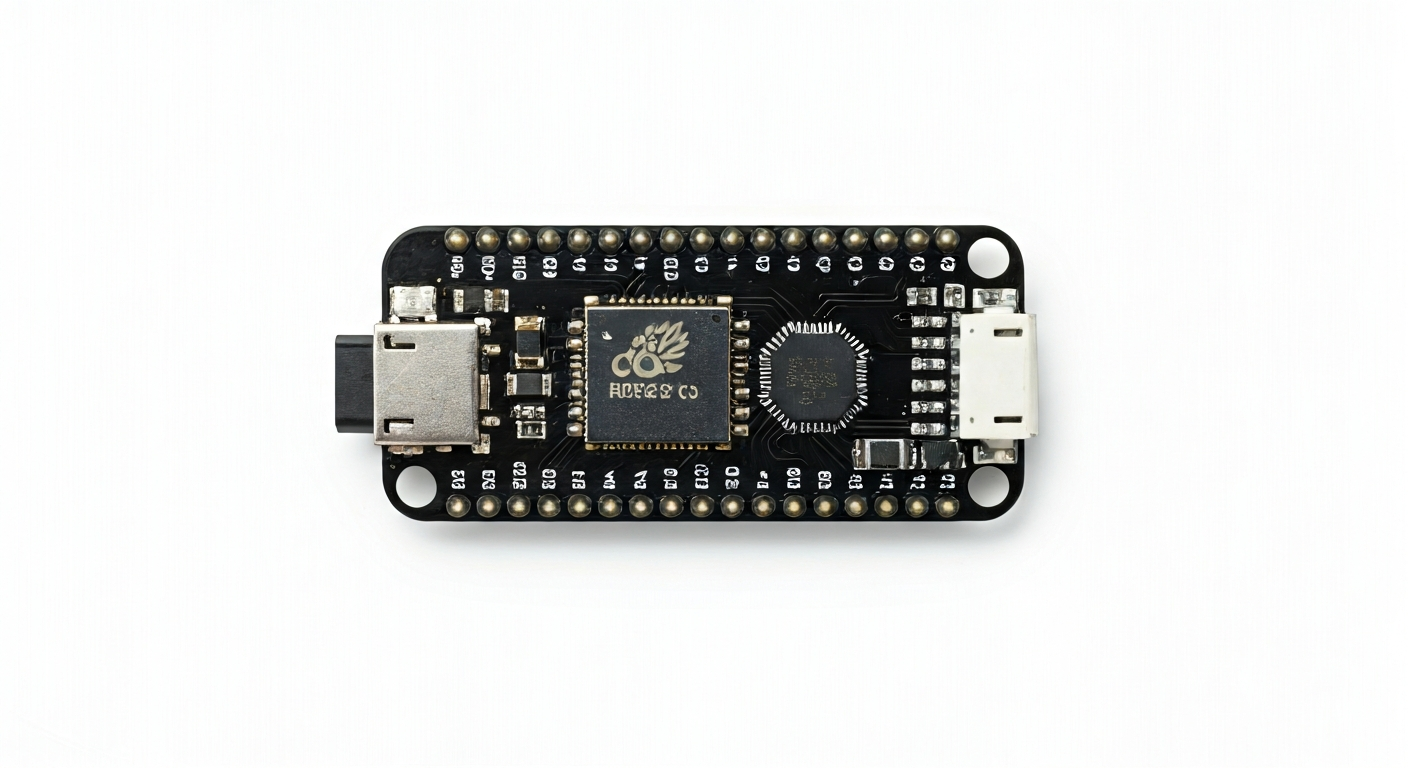
The ESP32-C3 is a significant addition to Espressif's popular ESP32 family, distinguishing itself by adopting the 32-bit RISC-V instruction set architecture (ISA) instead of the Tensilica Xtensa cores found in earlier ESP32 models. Released around 2020, it was designed to offer a compelling blend of performance, low power consumption, and robust connectivity at an attractive price point. This makes it an excellent choice for makers, students, and engineers looking to develop a wide range of connected embedded systems.
At the heart of the ESP32-C3 is the ESP32-C3FN4 chip, which integrates a single-core 32-bit RISC-V processor capable of running at up to 160 MHz. It features built-in Wi-Fi 4 (802.11b/g/n) and Bluetooth 5 (LE) connectivity, making it perfectly suited for Internet of Things (IoT) applications. The chip also includes a variety of peripherals such as GPIOs, ADCs, SPI, I2C, UART, and timers, along with security features like a hardware cryptographic accelerator.
Compared to its predecessors, the ESP32-C3 offers a more modern architecture with RISC-V, which is gaining traction in the embedded space due to its open-standard nature and potential for customization. While it has a single core compared to some dual-core ESP32 variants, its efficient design and integrated peripherals provide ample power for many common IoT tasks. The ESP32-C3 is particularly appealing for projects requiring wireless connectivity, low power consumption, and a straightforward development experience, especially when using platforms like the Arduino IDE or MicroPython.
Watch
Related video, embedded from YouTube.
Specifications
| Microcontroller / SoC | ESP32-C3FN4 |
| Architecture | 32-bit RISC-V single-core processor |
| Clock speed | Up to 160 MHz |
| Flash / Storage | 4 MB (internal, typically) |
| RAM / SRAM | 400 KB (internal) |
| Operating voltage | 3.0V - 3.6V |
| Digital I/O pins | 22 (configurable) |
| Analog / ADC | 2x 12-bit SAR ADCs (up to 6 channels) |
| PWM | Yes (up to 6 channels) |
| Connectivity | Wi-Fi 802.11b/g/n (2.4 GHz), Bluetooth 5 (LE) |
| USB | USB-to-UART bridge (for programming/serial) |
| Power input | USB (5V) or external 3.0V-3.6V VIN |
| Dimensions | Typically 25.5mm x 17.5mm (dev board dependent) |
Pinout & pin functions
| Pin | Function |
|---|---|
| 3V3 | Power output (regulated 3.3V) |
| GND | Ground |
| EN | Chip enable (active high) |
| GPIO1 | UART0 TXD, general I/O |
| GPIO2 | General I/O |
| GPIO3 | UART0 RXD, general I/O |
| GPIO4 | General I/O |
| GPIO5 | General I/O, strapping pin (boot mode) |
| GPIO6 | SPI0 CS, general I/O |
| GPIO7 | SPI0 MOSI, general I/O |
| GPIO8 | SPI0 MISO, general I/O |
| GPIO9 | SPI0 SCK, general I/O |
| GPIO10 | SPI0 HD, general I/O |
| GPIO18 | General I/O |
| GPIO19 | General I/O |
| GPIO20 | General I/O |
| GPIO21 | I2C SDA, general I/O |
| GPIO22 | I2C SCL, general I/O |
| GPIO23 | General I/O |
| GPIO24 | General I/O |
| GPIO25 | ADC1_CH0, general I/O |
| GPIO26 | ADC1_CH1, general I/O |
| GPIO27 | ADC1_CH2, general I/O |
| GPIO28 | ADC1_CH3, general I/O |
| GPIO29 | ADC1_CH4, general I/O |
| GPIO30 | ADC1_CH5, general I/O |
| GPIO31 | General I/O |
| USB D- | USB data minus |
| USB D+ | USB data plus |
Wiring & circuit basics
The ESP32-C3 operates at 3.3V logic levels. Connecting 5V devices directly to its GPIO pins can cause damage. If you need to interface with 5V components, use a logic level shifter or a voltage divider for inputs. Powering the board is typically done via the USB port, which supplies 5V. The onboard voltage regulator steps this down to the 3.3V required by the ESP32-C3. You can also power the board through the 3V3 pin (regulated 3.3V) or the VIN pin (unregulated, typically 5V, which is then regulated onboard). Ensure your power supply can provide sufficient current, especially when Wi-Fi or Bluetooth are active; a minimum of 500mA is recommended for USB power.
When connecting external components, always observe the logic level requirements. For a simple LED, connect it to a GPIO pin through a current-limiting resistor (e.g., 220-330 ohms) to protect both the LED and the ESP32-C3. The other end of the LED connects to GND. For I2C communication with sensors like the BME280, connect the sensor's SDA pin to the ESP32-C3's GPIO21 (SDA) and the sensor's SCL pin to GPIO22 (SCL). Remember to also connect the sensor's VCC to 3.3V and GND to the ESP32-C3's GND.
For more complex peripherals or motors, ensure they are powered by an external supply and that their ground is connected to the ESP32-C3's ground to establish a common reference. Avoid powering high-current devices directly from the ESP32-C3's 3.3V pin. Always consult the specific development board's documentation for exact pin mappings and power delivery capabilities.
Programming & getting started
The ESP32-C3 is well-supported by several popular development environments. For Arduino users, you can add ESP32 board support to the Arduino IDE via the Board Manager, selecting the ESP32-C3 Dev Module. For MicroPython and CircuitPython, official builds are available, allowing you to program the ESP32-C3 using Python. The official Espressif IoT Development Framework (ESP-IDF) provides the most comprehensive control and performance, suitable for professional embedded development. To flash your first program, connect the ESP32-C3 to your computer via USB. For Arduino IDE, select the correct board and COM port, then click Upload. For MicroPython/CircuitPython, you'll typically use a tool like `ampy` or drag-and-drop firmware onto the device when it appears as a USB drive.
A common first project is blinking an LED. Connect an LED (with a resistor) to a GPIO pin like GPIO2. In the Arduino IDE, use the `pinMode()` and `digitalWrite()` functions within `setup()` and `loop()`. For MicroPython, you'd import the `machine` module, configure the pin as an output, and use `pin.on()` and `pin.off()` methods. This simple exercise helps verify your toolchain setup and basic hardware connectivity.