ESP32-C6: The RISC-V Powerhouse for IoT and Beyond
Espressif's ESP32-C6 integrates Wi-Fi 6, Bluetooth 5 (LE), and Zigbee/Thread with a RISC-V core for advanced, low-power IoT applications.
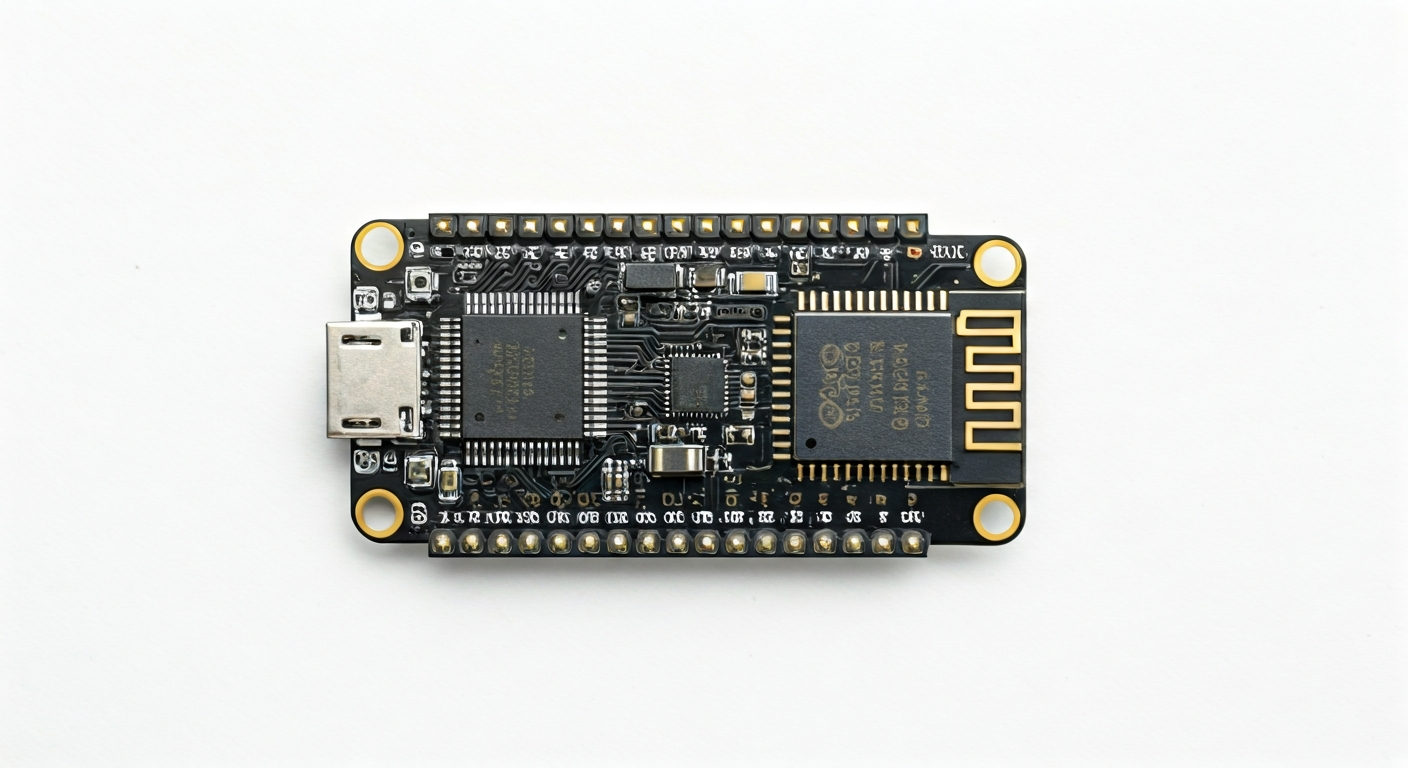
The ESP32-C6 is a significant addition to Espressif's popular ESP32 family, marking a shift towards the RISC-V architecture. At its heart is the ESP32-C6 chip, a highly integrated, low-power SoC designed for the next generation of IoT devices. It stands out by offering a comprehensive suite of wireless connectivity options, including dual-band Wi-Fi 6 (802.11ax), Bluetooth 5 (LE), and support for IEEE 802.15.4 protocols like Zigbee and Thread. This makes it exceptionally versatile for building smart home devices, industrial sensors, and other connected applications that require robust and efficient communication.
This board is particularly well-suited for makers and engineers looking to develop sophisticated IoT solutions that demand high performance, low power consumption, and advanced wireless capabilities. The RISC-V architecture, known for its open standard and flexibility, provides a modern foundation for embedded development. Compared to its predecessors, the ESP32-C6 offers enhanced performance and power efficiency, especially in its wireless operations, thanks to Wi-Fi 6 support which allows for higher throughput and better performance in congested environments. It also introduces native support for Matter, the new smart home standard.
Historically, Espressif has dominated the maker and low-cost IoT market with its ESP8266 and ESP32 series. The ESP32-C6 continues this legacy while pushing the boundaries with its RISC-V core and cutting-edge wireless features. It targets applications where reliable, multi-protocol wireless connectivity is paramount, such as smart lighting, home automation hubs, environmental monitoring systems, and even some industrial control applications. Its combination of processing power and extensive connectivity makes it an excellent choice for projects that need to communicate efficiently and securely over various wireless networks.
Watch
Related video, embedded from YouTube.
Specifications
| Microcontroller / SoC | ESP32-C6 |
| Architecture | 32-bit RISC-V single-core processor |
| Clock speed | Up to 160 MHz |
| Flash / Storage | On-chip 4MB SPI Flash (external flash supported) |
| RAM / SRAM | 512 KB SRAM, 16 KB RTC SRAM |
| Operating voltage | 3.0V - 3.6V |
| Digital I/O pins | Up to 27 configurable GPIOs |
| Analog / ADC | Up to 5 channels of 12-bit SAR ADC |
| PWM | Up to 16 channels |
| Connectivity | Wi-Fi 802.11ax (2.4 GHz and 5 GHz), Bluetooth 5 (LE), IEEE 802.15.4 (Zigbee, Thread) |
| USB | USB-to-Serial (UART) bridge, USB OTG (on chip, requires external circuitry) |
| Power input | USB-C or VIN pin (5V tolerant) |
| Dimensions | Typically 25.5mm x 18mm (module size, board may vary) |
Pinout & pin functions
| Pin | Function |
|---|---|
| 3V3 | 3.3V Power Output |
| GND | Ground |
| VIN | 5V Power Input |
| EN | Chip Enable (High for enable) |
| GPIO0 | Boot mode selection (Low during boot for download mode) |
| GPIO1 | UART0 TXD |
| GPIO2 | UART0 RXD |
| GPIO3 | I2C SDA |
| GPIO4 | I2C SCL |
| GPIO5 | SPI MOSI |
| GPIO6 | SPI MISO |
| GPIO7 | SPI SCK |
| GPIO8 | SPI CS |
| GPIO9 | ADC1 Channel 0 |
| GPIO10 | ADC1 Channel 1 |
| GPIO11 | ADC1 Channel 2 |
| GPIO12 | ADC1 Channel 3 |
| GPIO13 | ADC1 Channel 4 |
| GPIO14 | PWM Channel 0 |
| GPIO15 | PWM Channel 1 |
| GPIO16 | PWM Channel 2 |
| GPIO17 | PWM Channel 3 |
| GPIO18 | Touch Sensor 0 |
| GPIO19 | Touch Sensor 1 |
| GPIO20 | Touch Sensor 2 |
| GPIO21 | Touch Sensor 3 |
| GPIO22 | Touch Sensor 4 |
| GPIO23 | Touch Sensor 5 |
| GPIO24 | Touch Sensor 6 |
| GPIO25 | Touch Sensor 7 |
| GPIO26 | Touch Sensor 8 |
| GPIO27 | Touch Sensor 9 |
Wiring & circuit basics
Powering the ESP32-C6 board requires attention to its operating voltage, which is 3.3V. While the board typically has a voltage regulator and can accept 5V via its USB-C port or VIN pin, direct connection of peripherals designed for 5V logic can damage the ESP32-C6. Always ensure that any connected components operate at 3.3V or use a logic level shifter if interfacing with 5V devices. The USB-C port is the most convenient way to power and program the board, providing a stable 5V supply. If using the VIN pin, ensure the external power supply is a regulated 5V source capable of providing at least 500mA for stable operation, especially during Wi-Fi transmissions.
When connecting external components, observe the pin functions carefully. For example, to blink an LED, connect an LED's anode to a digital GPIO pin (e.g., GPIO14) and its cathode through a current-limiting resistor (typically 220-330 ohms) to GND. This resistor prevents excessive current from flowing through the LED and the GPIO pin, protecting the ESP32-C6. The GPIO pin will output 3.3V to turn the LED on and 0V to turn it off.
For more complex peripherals like I2C sensors, refer to the pinout diagram. An I2C sensor typically has VCC, GND, SDA, and SCL pins. Connect VCC to the ESP32-C6's 3V3 pin, GND to a GND pin, SDA to the designated I2C SDA pin (e.g., GPIO3), and SCL to the designated I2C SCL pin (e.g., GPIO4). Ensure the sensor itself is 3.3V compatible; if not, use a bidirectional logic level shifter on both SDA and SCL lines.
Programming & getting started
The ESP32-C6 is well-supported by popular development environments. For Arduino users, you can add ESP32 board support to the Arduino IDE via the Board Manager, selecting the ESP32-C6 as your target board. This allows you to program it using the familiar Arduino C++ framework. For those preferring Python, MicroPython and CircuitPython offer excellent support, enabling rapid prototyping with Python scripts. The official Espressif IoT Development Framework (ESP-IDF) provides the most comprehensive access to the chip's features and is ideal for professional development. To upload your first program, connect the ESP32-C6 via USB, select the correct COM port in your IDE, and press the upload button. For Arduino IDE, ensure the board is set to 'ESP32-C6 Dev Module' or similar, and for MicroPython/CircuitPython, you'll typically flash a firmware image first using tools like `esptool.py` or `rshell`.
A common first project is blinking an LED. In Arduino IDE, this involves setting a GPIO pin as an output, then toggling it high and low with `digitalWrite()` and `delay()`. For MicroPython, you'd import the `machine` module, instantiate a `Pin` object, and use its `on()` and `off()` methods or assign `1` and `0` to its value. This simple exercise familiarizes you with the basic I/O control and the chosen programming environment.