ESP32-S2: The Wi-Fi-Centric Microcontroller for Connected Projects
The ESP32-S2 is a versatile, low-power Wi-Fi microcontroller with a single-core processor, designed for IoT applications requiring robust wireless connectivity and enhanced security.
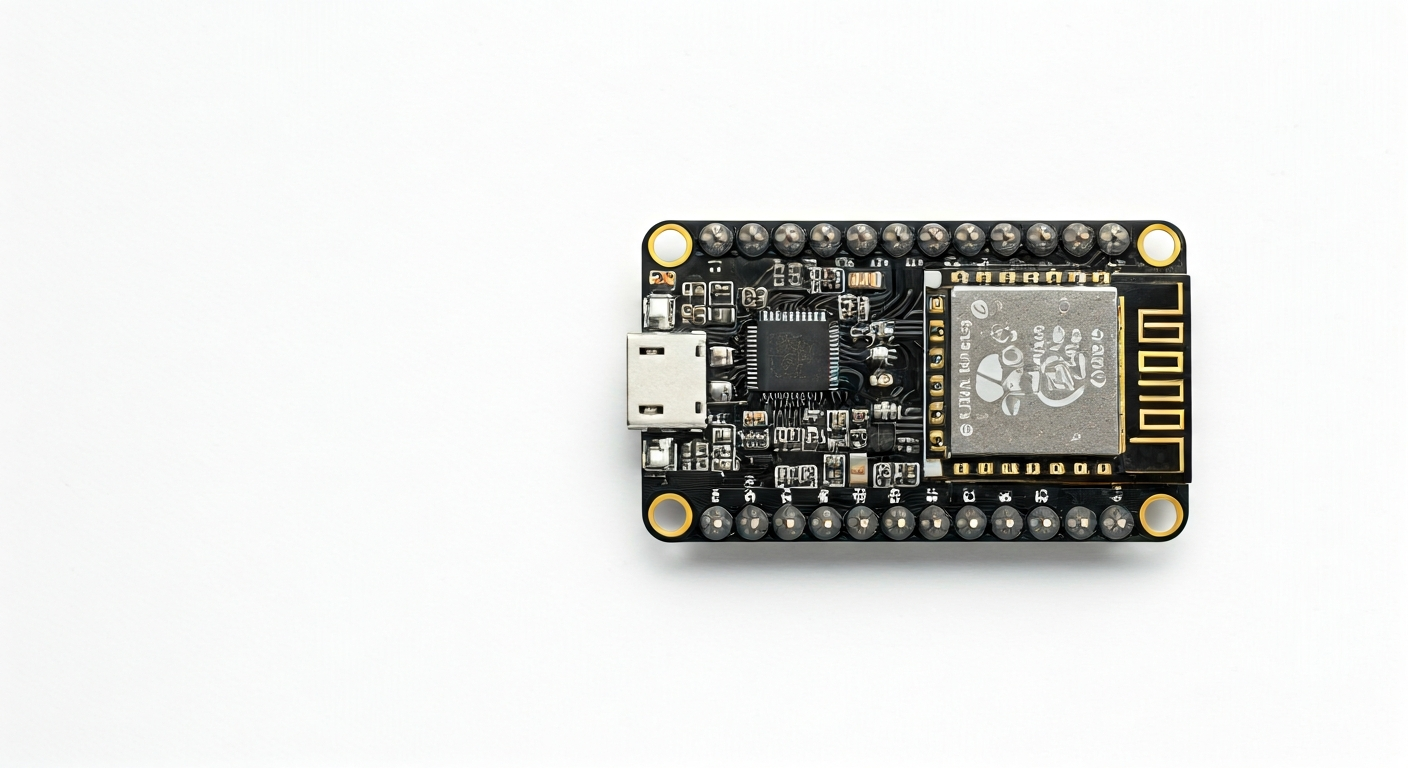
The ESP32-S2 is a member of Espressif Systems' popular ESP32 family of microcontrollers, distinguished by its focus on Wi-Fi connectivity and improved security features. Unlike its dual-core predecessors, the ESP32-S2 features a single-core Tensilica LX7 processor, making it an excellent choice for applications where power efficiency and a streamlined processing core are paramount, while still delivering ample performance for many IoT tasks.
At its heart, the ESP32-S2-Mini-1 module, or the ESP32-S2 chip itself, offers a compelling blend of processing power and peripheral capabilities. It boasts integrated Wi-Fi 802.11 b/g/n connectivity, a variety of GPIOs, ADCs, and support for standard communication protocols like I2C, SPI, and UART. Its design prioritizes security with features like secure boot and flash encryption, making it suitable for sensitive applications.
Released as an evolution of the original ESP32, the ESP32-S2 targets makers and engineers looking for a cost-effective and power-efficient solution for connected devices. It excels in scenarios where a dedicated Wi-Fi interface is needed without the complexity or power draw of a dual-core system. This makes it ideal for battery-powered sensors, smart home devices, and simple IoT gateways that primarily need to communicate wirelessly.
This microcontroller is particularly well-suited for projects that leverage its Wi-Fi capabilities for data logging, remote control, or web server applications. Its single-core architecture simplifies development for certain tasks and can lead to lower power consumption compared to dual-core variants, extending battery life in portable projects. Makers who need a reliable and secure Wi-Fi connection without requiring heavy computational tasks will find the ESP32-S2 a strong contender.
Watch
Related video, embedded from YouTube.
Specifications
| Microcontroller / SoC | ESP32-S2 (Xtensa® 32-bit LX7 single-core processor) |
| Architecture | 32-bit RISC-V (Note: The ESP32-S2 uses a Tensilica LX7 core, not RISC-V. This is a common point of confusion, but the S2 is LX7) |
| Clock speed | Up to 240 MHz |
| Flash / Storage | 4MB to 16MB external SPI flash (module dependent) |
| RAM / SRAM | 520 KB SRAM |
| Operating voltage | 3.0V - 3.6V (typically 3.3V) |
| Digital I/O pins | 34 (depending on module and configuration) |
| Analog / ADC | 20 Analog-to-Digital Converter (ADC) channels (12-bit resolution) |
| PWM | Up to 16 channels (general purpose PWM) |
| Connectivity | Wi-Fi 802.11 b/g/n (2.4 GHz) |
| USB | Native USB OTG (On-The-Go) interface (can act as a USB device or host) |
| Power input | Via USB or VIN pin (typically 5V, regulated onboard) |
| Dimensions | Varies by module (e.g., ESP32-S2-WROOM-1: 18.0 x 25.5 x 2.8 mm) |
Pinout & pin functions
| Pin | Function |
|---|---|
| 3V3 | 3.3V Power Output |
| GND | Ground |
| EN | Enable/Reset Pin |
| GPIO0 | Boot mode selection, General Purpose Input/Output |
| GPIO1 | UART0 TX, General Purpose Input/Output |
| GPIO2 | General Purpose Input/Output |
| GPIO3 | UART0 RX, General Purpose Input/Output |
| GPIO4 | General Purpose Input/Output |
| GPIO5 | General Purpose Input/Output |
| GPIO6 | SPI Flash CS, General Purpose Input/Output |
| GPIO7 | SPI Flash HD, General Purpose Input/Output |
| GPIO8 | SPI Flash WD, General Purpose Input/Output |
| GPIO9 | SPI Flash CS, General Purpose Input/Output |
| GPIO10 | SPI Flash CLK, General Purpose Input/Output |
| GPIO11 | SPI Flash D0, General Purpose Input/Output |
| GPIO12 | General Purpose Input/Output |
| GPIO13 | General Purpose Input/Output |
| GPIO14 | General Purpose Input/Output |
| GPIO15 | General Purpose Input/Output |
| GPIO16 | General Purpose Input/Output |
| GPIO17 | General Purpose Input/Output |
| GPIO18 | General Purpose Input/Output |
| GPIO19 | General Purpose Input/Output |
| GPIO20 | General Purpose Input/Output |
| GPIO21 | I2C SDA, General Purpose Input/Output |
| GPIO22 | I2C SCL, General Purpose Input/Output |
| GPIO23 | General Purpose Input/Output |
| GPIO24 | General Purpose Input/Output |
| GPIO25 | ADC1_CH8, General Purpose Input/Output |
| GPIO26 | ADC1_CH9, General Purpose Input/Output |
| GPIO27 | ADC1_CH10, General Purpose Input/Output |
| GPIO28 | ADC1_CH11, General Purpose Input/Output |
| GPIO29 | ADC1_CH12, General Purpose Input/Output |
| GPIO30 | ADC1_CH13, General Purpose Input/Output |
| GPIO31 | ADC1_CH14, General Purpose Input/Output |
| GPIO32 | ADC1_CH15, General Purpose Input/Output |
| GPIO33 | ADC1_CH16, General Purpose Input/Output |
| GPIO34 | ADC1_CH17, General Purpose Input/Output |
| GPIO35 | ADC1_CH18, General Purpose Input/Output |
| GPIO36 | ADC1_CH0, General Purpose Input/Output |
| GPIO37 | ADC1_CH1, General Purpose Input/Output |
| GPIO38 | ADC1_CH2, General Purpose Input/Output |
| GPIO39 | ADC1_CH3, General Purpose Input/Output |
| USB_D- | USB Data Minus |
| USB_D+ | USB Data Plus |
| VIN | Voltage Input (typically 5V, regulated onboard) |
Wiring & circuit basics
The ESP32-S2 operates at a logic level of 3.3V. Connecting 5V devices directly to its GPIO pins can cause permanent damage. Always use a logic level shifter or voltage divider if interfacing with 5V components like many standard Arduino shields or older sensors. Powering the board is typically done via its USB port, which supplies 5V. Alternatively, the VIN pin can be used for external power sources, also typically 5V. The onboard voltage regulator will step this down to the 3.3V required by the chip. Ensure your power supply can provide sufficient current, generally at least 500mA for stable operation, especially when Wi-Fi is active.
When connecting an LED, always use a current-limiting resistor to protect both the LED and the ESP32-S2's GPIO pin. A common value for an LED with a 3.3V supply is around 220-330 ohms. For example, to blink an LED connected to GPIO2, you would wire the LED's anode to GPIO2, the cathode to one end of the resistor, and the other end of the resistor to a GND pin.
For I2C communication, the ESP32-S2 uses GPIO21 for SDA and GPIO22 for SCL. These pins often require pull-up resistors (typically 4.7k ohm) to 3.3V, which are sometimes included on development boards. When connecting an I2C sensor, connect its VCC to 3V3, GND to GND, SDA to GPIO21, and SCL to GPIO22. Ensure the sensor is also a 3.3V device or use level shifting if it's a 5V sensor.
Programming & getting started
The ESP32-S2 can be programmed using several popular development environments. The Arduino IDE is a common choice, requiring the installation of the ESP32 board support package. This allows you to write C++ code using the familiar Arduino framework. Alternatively, MicroPython and CircuitPython offer Python-based programming, which can be more accessible for beginners. For advanced users, Espressif's official ESP-IDF (Espressif IoT Development Framework) provides a comprehensive C/C++ SDK for maximum control and performance.
To upload your first program (a 'Blink' sketch) using the Arduino IDE: 1. Install the ESP32 board support in the Arduino IDE. 2. Connect your ESP32-S2 board to your computer via USB. 3. Select the correct ESP32-S2 board and COM port from the Tools menu. 4. Paste the Blink sketch into the IDE. 5. Click the Upload button. The board will typically enter bootloader mode automatically, or you may need to hold down the BOOT (GPIO0) button while pressing RESET (EN) and then releasing them to initiate the upload.