Raspberry Pi 4 Model B: The Powerhouse for Advanced Makers
The Raspberry Pi 4 Model B is a significant upgrade, offering desktop-class performance and expanded connectivity for demanding embedded projects.
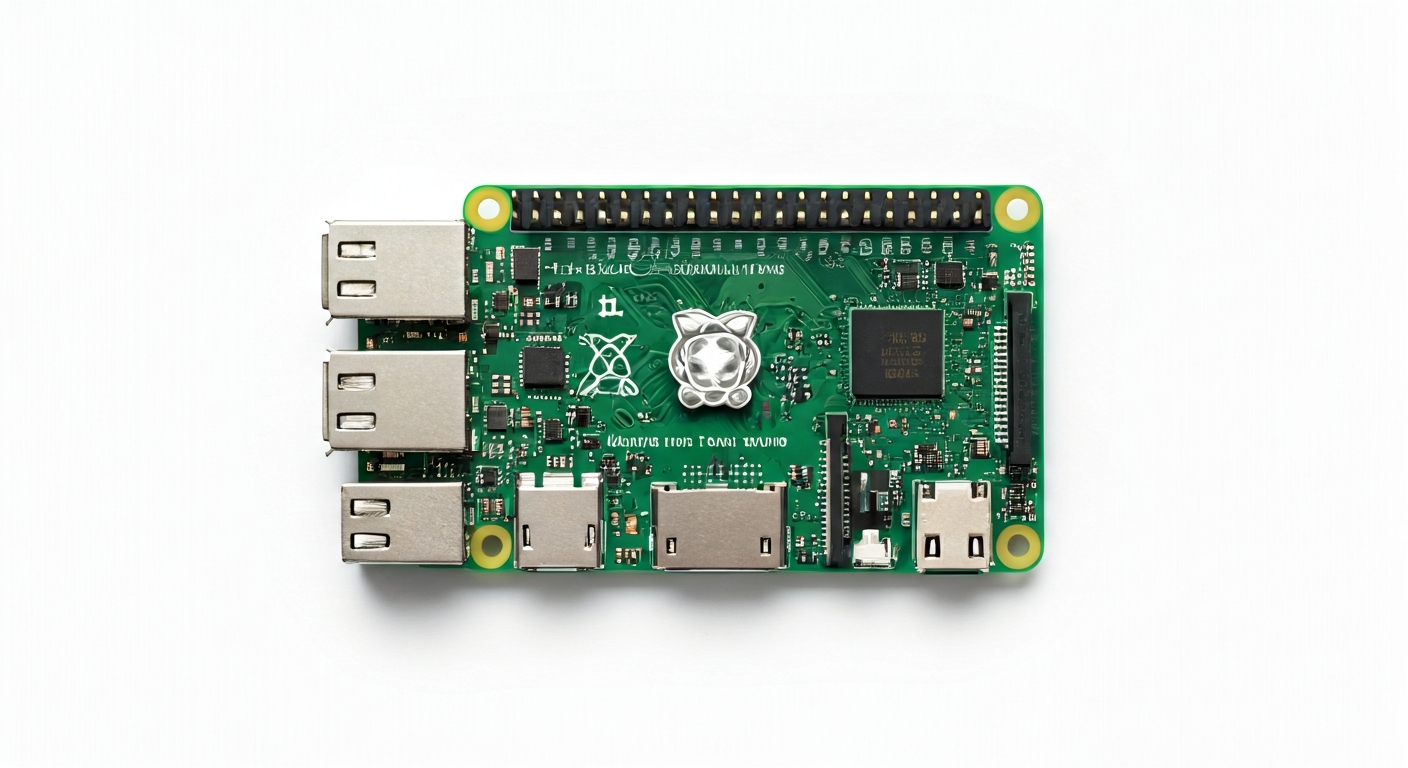
The Raspberry Pi 4 Model B, released in June 2019, represents a major leap forward in the Raspberry Pi family's capabilities. It was designed to provide a more capable, versatile, and powerful single-board computer suitable for a wider range of applications, including as a light desktop replacement, a media center, a server, and of course, for advanced embedded projects. This board targets makers, students, and embedded engineers who require more processing power, faster networking, and greater flexibility than previous Raspberry Pi models.
At the heart of the Raspberry Pi 4 Model B is the Broadcom BCM2711 system-on-a-chip (SoC). This quad-core ARM Cortex-A72 processor, running at 1.5GHz (later revisions increased this to 1.8GHz), provides a substantial performance boost over its predecessors. The BCM2711 also integrates a VideoCore VI GPU, enabling 4K video output and hardware decoding for H.265 and H.264 codecs, making it ideal for multimedia applications. The inclusion of faster LPDDR4 RAM, available in 1GB, 2GB, 4GB, and 8GB variants, further enhances its multitasking and processing capabilities.
Compared to the Raspberry Pi 3 Model B+, the Pi 4 Model B offers a completely redesigned I/O subsystem. It features two USB 3.0 ports alongside two USB 2.0 ports, dual micro-HDMI ports supporting up to 4K resolution, and a significantly faster Gigabit Ethernet port. The CSI camera connector and DSI display connector are retained. This enhanced connectivity, coupled with its increased processing power, positions the Pi 4 Model B as a robust platform for projects requiring significant data processing, high-speed networking, or multiple peripherals.
The Raspberry Pi 4 Model B is a fantastic choice for those looking to build projects that go beyond simple blinking LEDs or basic sensor readings. Its ability to run a full Linux operating system, coupled with its powerful hardware, makes it suitable for projects like home automation hubs, network-attached storage (NAS) devices, retro gaming consoles, desktop workstations, or even as a compact server for web hosting or development. For makers who need more than what a microcontroller can offer but still want an accessible and affordable platform, the Pi 4 Model B is an excellent option.
Watch
Related video, embedded from YouTube.
Specifications
| Microcontroller / SoC | Broadcom BCM2711 |
| Architecture | 64-bit Quad-core ARM Cortex-A72 |
| Clock speed | 1.5 GHz (later revisions 1.8 GHz) |
| Flash / Storage | MicroSD card slot (OS and storage) |
| RAM / SRAM | 1GB, 2GB, 4GB, or 8GB LPDDR4-3200 SDRAM |
| Operating voltage | 5V DC |
| Digital I/O pins | 40 GPIO pins (configurable) |
| Analog / ADC | — (No built-in ADC, requires external hardware) |
| PWM | Yes (via software or dedicated hardware PWM on certain GPIOs) |
| Connectivity | Gigabit Ethernet, Dual-band 802.11ac Wi-Fi, Bluetooth 5.0 |
| USB | 2 x USB 3.0 ports, 2 x USB 2.0 ports |
| Power input | USB-C (5V, 3A recommended) or GPIO header |
| Dimensions | 85mm x 56mm |
Pinout & pin functions
| Pin | Function |
|---|---|
| 3.3V | Power output (3.3V) |
| 5V | Power output (5V) |
| 5V | Power output (5V) |
| GND | Ground |
| GND | Ground |
| GPIO 2 | I2C SDA |
| GPIO 3 | I2C SCL |
| GPIO 4 | General Purpose I/O |
| GPIO 5 | General Purpose I/O |
| GPIO 6 | General Purpose I/O |
| 3.3V | Power output (3.3V) |
| GPIO 7 | General Purpose I/O |
| GPIO 8 | SPI MISO |
| GPIO 9 | SPI MOSI |
| GPIO 10 | SPI SCK |
| GPIO 11 | SPI CS (Chip Select) |
| GND | Ground |
| GPIO 14 | UART TXD |
| GPIO 15 | UART RXD |
| GPIO 17 | General Purpose I/O |
| GPIO 18 | General Purpose I/O, PWM |
| GPIO 19 | General Purpose I/O, PWM |
| GPIO 20 | General Purpose I/O |
| GPIO 21 | General Purpose I/O |
| GND | Ground |
| GPIO 22 | General Purpose I/O |
| GPIO 23 | General Purpose I/O |
| GPIO 24 | General Purpose I/O |
| GPIO 25 | General Purpose I/O |
| GPIO 26 | General Purpose I/O, PWM |
| GPIO 27 | General Purpose I/O, PWM |
| ID_SD | I2C Interface (for EEPROM) |
| ID_SC | I2C Interface (for EEPROM) |
| GND | Ground |
| GPIO 28 | — |
| GPIO 29 | — |
| GPIO 30 | — |
| GPIO 31 | — |
| GPIO 32 | — |
| GPIO 33 | — |
| GPIO 34 | — |
| GPIO 35 | — |
| GND | Ground |
| GPIO 36 | — |
| GPIO 37 | — |
| GPIO 38 | — |
| GPIO 39 | — |
Wiring & circuit basics
The Raspberry Pi 4 Model B is powered via a USB-C port, requiring a stable 5V power supply capable of delivering at least 3A. Using a high-quality power adapter is crucial to prevent undervoltage issues, which can lead to system instability and data corruption. The GPIO header also provides a 5V and 3.3V power rail, but these are outputs derived from the main power input and should not be used to power the Pi itself. When connecting external components, always respect the logic level of the Raspberry Pi, which is 3.3V. Connecting 5V devices directly to GPIO pins can damage the board. If you need to interface with 5V logic, use a level shifter.
For a simple LED project, connect the longer leg (anode) of an LED to a current-limiting resistor (typically 220-330 ohms for a standard LED). Connect the other end of the resistor to a GPIO pin, such as GPIO 17. Connect the shorter leg (cathode) of the LED to a Ground (GND) pin on the Raspberry Pi. When you program the GPIO pin to be HIGH, current flows through the resistor and LED, illuminating it. When the pin is LOW, the LED turns off.
For an I2C sensor, such as a BME280 environmental sensor, you would typically connect its VCC pin to a 3.3V pin on the Pi, its GND pin to a GND pin, its SDA pin to GPIO 2 (which is the I2C SDA line), and its SCL pin to GPIO 3 (the I2C SCL line). Ensure your sensor is 3.3V compatible or use a level shifter if it operates at 5V. The Raspberry Pi OS provides libraries to easily communicate with I2C devices.
Programming & getting started
The Raspberry Pi 4 Model B typically runs Raspberry Pi OS (formerly Raspbian), a Debian-based Linux distribution. This allows for a wide range of programming languages and tools, including Python, C/C++, Node.js, and Java. For embedded-style programming, Python with libraries like RPi.GPIO or GPIO Zero is very popular due to its ease of use and readability. You can also use IDEs like Thonny (pre-installed on Raspberry Pi OS Lite) or VS Code with remote development extensions.
To upload your first program, you can write a Python script directly on the Raspberry Pi. For example, to blink an LED connected to GPIO 17: import RPi.GPIO as GPIO; import time; GPIO.setmode(GPIO.BCM); led_pin = 17; GPIO.setup(led_pin, GPIO.OUT); try: while True: GPIO.output(led_pin, GPIO.HIGH); time.sleep(1); GPIO.output(led_pin, GPIO.LOW); time.sleep(1); except KeyboardInterrupt: GPIO.cleanup(). Save this as blink.py and run it from the terminal using 'python3 blink.py'. For more complex projects or cross-compilation, tools like PlatformIO or CMake with cross-compilers can be used.